Your Data Doesn’t Retire When Your Device Does
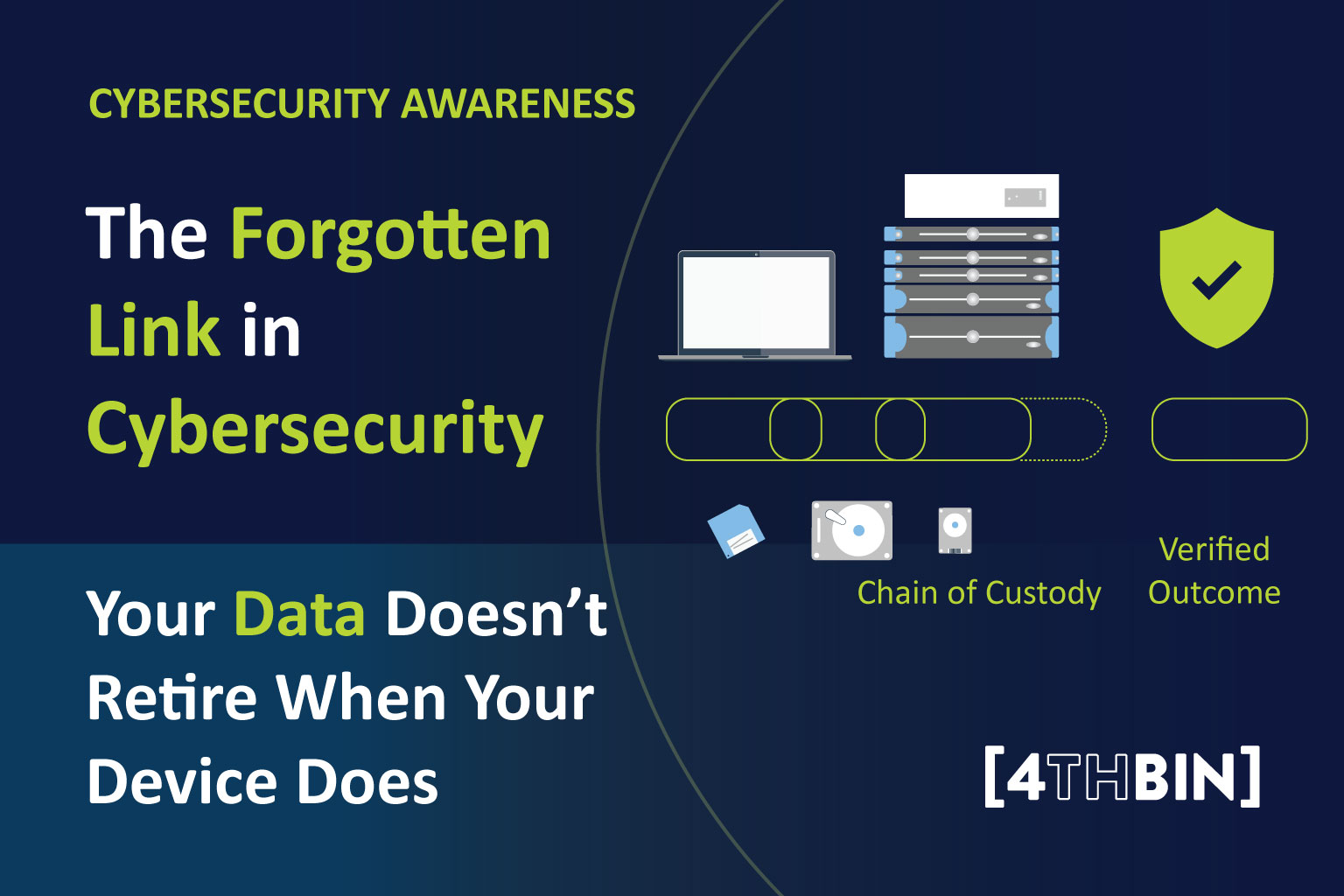
When we think about cybersecurity, we usually picture strong passwords, phishing emails, and network firewalls. But there’s a quieter risk that gets far less attention: the devices we stop using.
Unplugging a laptop, shelving an old phone, or stacking retired classroom computers in a closet doesn’t erase what’s stored on them. Photos, saved passwords, bank details, student records, and customer files can sit on a device for years after anyone last logged in. Taking a device offline changes how people can reach the data, but the data itself is still there until someone deliberately removes it.
What counts as “offline data”?
Offline data is any information stored on a device that’s no longer connected to a network or in active use. It can live on old computers and laptops, phones and tablets, external hard drives and USB sticks, memory cards, backup drives, and even printers and copiers, many of which store copies of scanned and printed documents.
A device might be worth almost nothing on resale and still carry information that’s very valuable to the wrong person.
Why it matters for everyone
At work. When equipment is retired, it often moves between several hands: IT disconnects it, facilities moves it to storage, procurement picks a vendor, and a collection crew hauls it away. Each team can finish its part while no one confirms what happened to the data. Picture an office move where old laptops pile up in a storage room for weeks. A few get borrowed for parts, more get added, and by pickup day nobody can say for sure whether every device is accounted for. The risk didn’t start with the truck. It started when the inventory stopped matching what was actually in the room.
At home. Most households have a “tech drawer”: old phones, a laptop that stopped charging, a stack of USB drives. Those devices may still hold saved logins, banking and shopping apps, tax documents, family photos, and years of texts and emails. Selling one online, handing it down to a relative, donating it, or tossing it in the trash without wiping it first can expose all of that. Identity theft often begins with exactly this kind of overlooked information.
At school. Schools manage huge numbers of devices, from shared Chromebooks and computer labs to teacher laptops and front-office machines. These can hold grades, attendance records, health information, and family contact details that schools are responsible for protecting. Technology refreshes and summer cleanouts are prime times for devices to slip through the cracks. Students also benefit from learning these habits early: knowing how to back up and wipe a phone before trading it in is a practical digital-literacy skill that lasts a lifetime.
Follow the device from start to finish
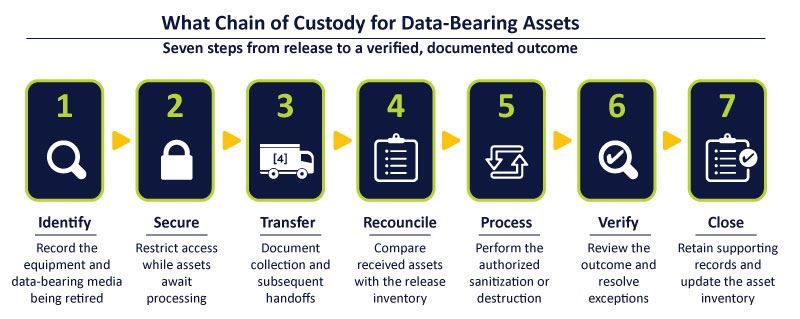
Organizations call this a chain of custody: a record of who had each device, when, and what finally happened to it. Households and classrooms can use a simpler version of the same idea. Here are seven steps that work at any scale:
- Identify. List the devices you’re retiring, whether that’s a company asset inventory or a quick note of what’s in the junk drawer.
- Secure. Keep them somewhere locked or supervised while they wait, not in an open closet or a hallway bin.
- Back up and sign out. Save what you need, then sign out of cloud, email, app store, and payment accounts.
- Transfer carefully. When devices leave your hands, write down what went and who took it.
- Reconcile. Make sure what was received matches what was sent. A missing drive should trigger follow-up, not a shrug.
- Destroy or sanitize. Use a full factory reset, secure erase, or certified physical destruction. Simply deleting files or emptying the trash isn’t enough.
- Confirm and close. Keep the receipt or certificate of destruction and update your records.
Choosing who handles your devices
Not every recycler handles data the same way. For businesses and schools, look for independent certifications. NAID AAA Certification, run by i-SIGMA, involves scheduled and surprise audits of a provider’s security practices, chain of custody, and employee screening. Check that the certification is current and covers the specific service you need, such as physical destruction or electronic erasure.
For devices that will be reused rather than destroyed, NIST’s updated Guidelines for Media Sanitization (SP 800-88 Revision 2, published in September 2025) helps organizations choose wiping methods that match how sensitive the data is.
For individuals, the bar is simpler: wipe the device yourself first, then use a reputable recycler or a community e-waste event rather than the curbside trash.
A certificate is the finish line, not the whole race
A pickup receipt shows that devices changed hands. It doesn’t prove the data is gone. For organizations, a certificate of destruction is most valuable when it can be matched to the original list, with serial numbers, quantities, dates, and methods. The key question is simple: Can you account for every device you released, and show what happened to it?
Quick checklist for Cybersecurity Awareness Month
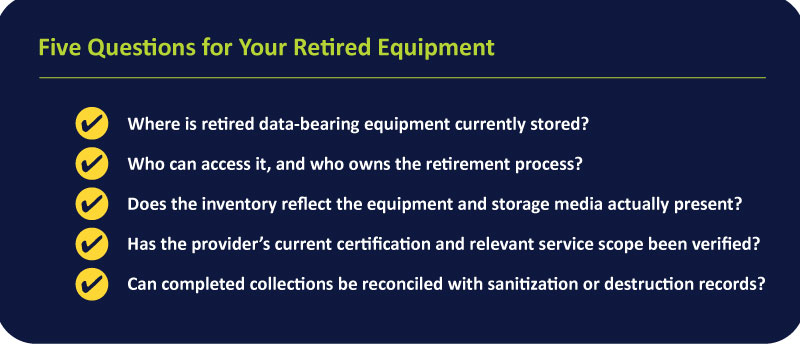
- Where are my old devices right now?
- Who has access to them, and who’s responsible for them?
- Have SIM cards, memory cards, and external drives been removed?
- Have I signed out of every account?
- Is each device fully wiped or destroyed, not just cleared of files?
- Is my recycler certified, and did I get confirmation when the job was done?
Cybersecurity doesn’t end at the last login
Whether you’re refreshing an office, clearing out a junk drawer at home, or upgrading a school’s technology, protecting information means following it to the very end. A retired device should start a careful process, not end up forgotten in a closet.